Lots of work. One workspace.
Your work, in order. From client to cash.
Your clients, projects, team tasks and invoices.
Tarteeb brings your agency's work into one Arabic-first workspace,
so you know where things stand and what's next.
Where every relationship starts.
From idea to delivery.
Know what you're owed, and what's left.
Agency workflow
One connected story, from agreement to payment.
Whether you work solo or with a team, connect each stage to its context: the client, the agreement, the work and the invoice. These are the steps your Tarteeb workspace brings together.
Start with the client
Keep client details, contacts and relationship history together, and link their projects and files so the context stays in one place.
Set out the agreement in a quote
Prepare a quote with the scope and line items, then publish a link the client can review and respond to.
Turn the agreement into a project
Once a quote is accepted, you can convert it into a project linked to the client. You can also create a new project from a template suited to the work.
Assign tasks and follow progress
Give each task an owner, a due date and a status. Every member sees their work, and project progress updates as tasks are completed.
Connect the invoice to the work
Create an invoice linked to the client and project, and set its due date. Download a PDF with your agency's branding or email it to the client.
Record payments when they arrive
A workspace administrator records the amount received to update the balance. You can see what has been recorded as collected and what remains unpaid.
Record a payment when it arrives to update what's outstanding. Recording is your own note of it, not payment processing or a bank confirmation.
Compare plansYour work is connected. So are your tools.
From first contact,
to the final balance.
Follow the “Madar” website project from the first contact to the recorded payment. Pick a stage and see how it affects the work.
An illustrative simulation on this page; it doesn't read or change your account data.1 of 5 · Client
The relationship starts here. Its context stays with you.
Contacts, relationship history and projects in one profile. Try logging a follow-up with this project's client.
Madar demo client
- Relationship
- Active client
- Linked project
- Madar website
Log what you agreed on, so your team keeps the context.
2 of 5 · Project
From agreement to work with a clear path.
Link the project to its client and set its scope. Follow its tasks, value and invoices as your permissions allow; completing a task here changes the project's progress.
Illustrative demo · doesn't create a record or send an invoice.
Madar website design and development
Scope: sitemap and homepage design.
- Work value excl. VAT
- 5,000.00 SAR
- Task progress
- 50%
3 of 5 · Tasks
A clear assignee. A step that gets done.
Every task has an assignee and a status. Try completing the homepage design, then go back to the project to see the effect.
Homepage design
- Assignee
- Sara · Design
- Status
- In progress
- Project progress
- 50%
Next step: review the design with the team.
4 of 5 · Invoice
What your work is worth, clearly itemized.
The invoice is linked to the client and the project. In Tarteeb you can download a PDF with your agency's branding or email the invoice; this example is for display only.
Illustrative demo · doesn't create a record or send an invoice.
Madar website design and development
- Work value excl. VAT
- 5,000.00 SAR
- VAT (15%)
- 750.00 SAR
- Total incl. VAT
- 5,750.00 SAR
- Payment status
- Payment due
5 of 5 · Outstanding
Know what's left, and record what comes in.
Record a payment when it arrives to update what's outstanding. Recording is your own note of it, not payment processing or a bank confirmation.
5,750.00 SAR
Waiting for a payment to be recorded
- Recorded as collected
- 0.00 SAR
- Tasks done
- 1 of 2
- Last contact
- Not logged in the simulation
Connected details. The full picture in front of you.
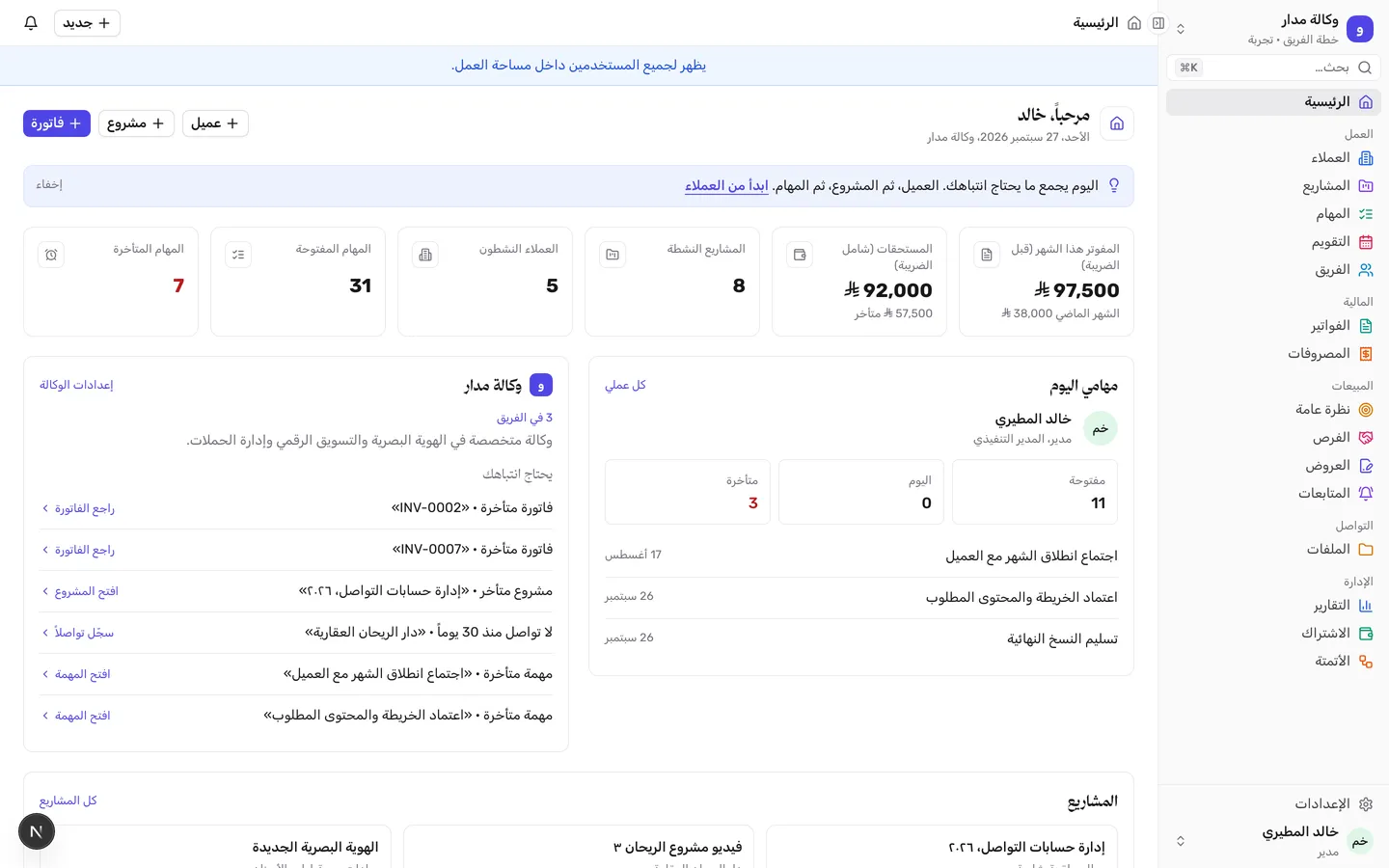
In your workspace, the Home page brings together tasks, projects and amounts due, so you start with what needs your attention.
See the Home page inside Tarteeb A real screenshot with test data